In 2021, demand for cryptocurrency mining hardware surged. According to Avito, interest in listings for graphics cards grew 2.6 times, and for mining farms 4 times. The number of sales increased by 18-20%. Newcomers habitually install Windows 10 on their farm, then, after seeing its drawbacks in practice, look for alternatives. Among them is HiveOS – an operating system based on Ubuntu, adapted for managing and monitoring farms and configuring rigs. Let’s look at where and how to download this “OS”, what it is, and how to use it. We’ll show the process of writing HiveOS to a USB drive using Rufus.
HiveOS Mining Operating System
Hive OS is a specialized platform for cryptocurrency mining. It lets you configure hundreds of devices and remotely monitor the status of thousands of ASICs and graphics accelerators from a single place. It allows you to combine workers into farms, overclock graphics cards, and track a range of mining farm parameters. It provides secure access to hardware via SSH and through an IP filter.
Among the tasks HiveOS solves and its features are:
- Access rights management.
- Adding missing miners.
- CPU mining to improve system efficiency.
- Automatic fan control.
- Configurations for individual miners.
- Overclocking and fine-tuning of graphics cards.
- Quick pool and miner switching.
- Usage
- Power consumption statistics for the farm and individual workers.
- A variety of statistics.
- Notifications about hardware status and performance in Discord and Telegram.
- Operation on diskless setups.
- Quick deployment to rigs (in a couple of minutes).
- Remote access via VNC, SSH, web interface, Shellinabox.
- Working with mixed rigs (AMD and Nvidia).
- Low resource requirements: runs on a device with 2 GB of RAM.
- Automatic writing of Hive OS to HDD and SSD in a couple of minutes.
- Restarting the rig when the hashrate drops.
- Disks aren’t required to operate — a USB drive is enough.
Where to Download HiveOS
You should download the operating system image from the official website. It’s released in several versions: the final (stable) one and a beta – which works with the latest drivers and includes experimental features.
HiveOS is adapted for working with rigs:
- it allows you to manage 19 graphics cards;
- it keeps statistics for individual GPUs and rigs;
- it schedules their management: restarting, shutting down.
How to Install the Hive OS System
To install HiveOS, you need a USB drive of at least 8 GB or an SSD disk and a utility for writing bootable images, such as Rufus.
Writing the HiveOS Image to a USB Drive Using Rufus
To create a bootable USB drive with HiveOS and configure the operating system:
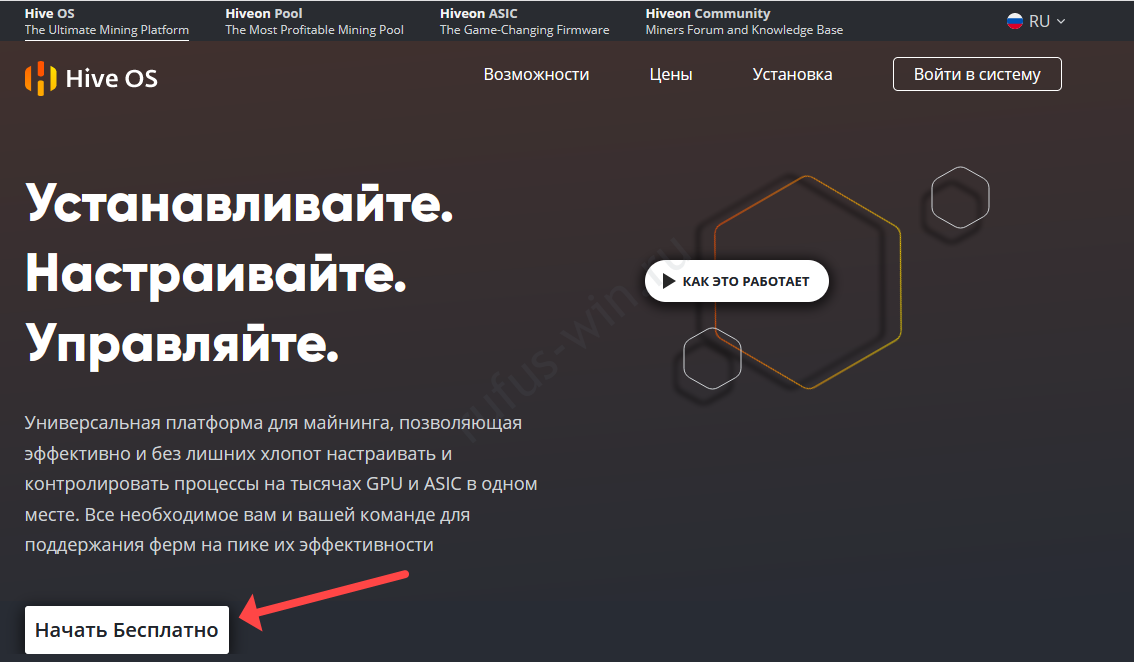
- Go to the website and click “Start for free”.
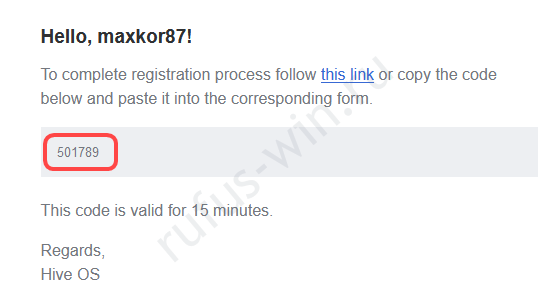
- Register on the resource and confirm your email – enter the code you received.
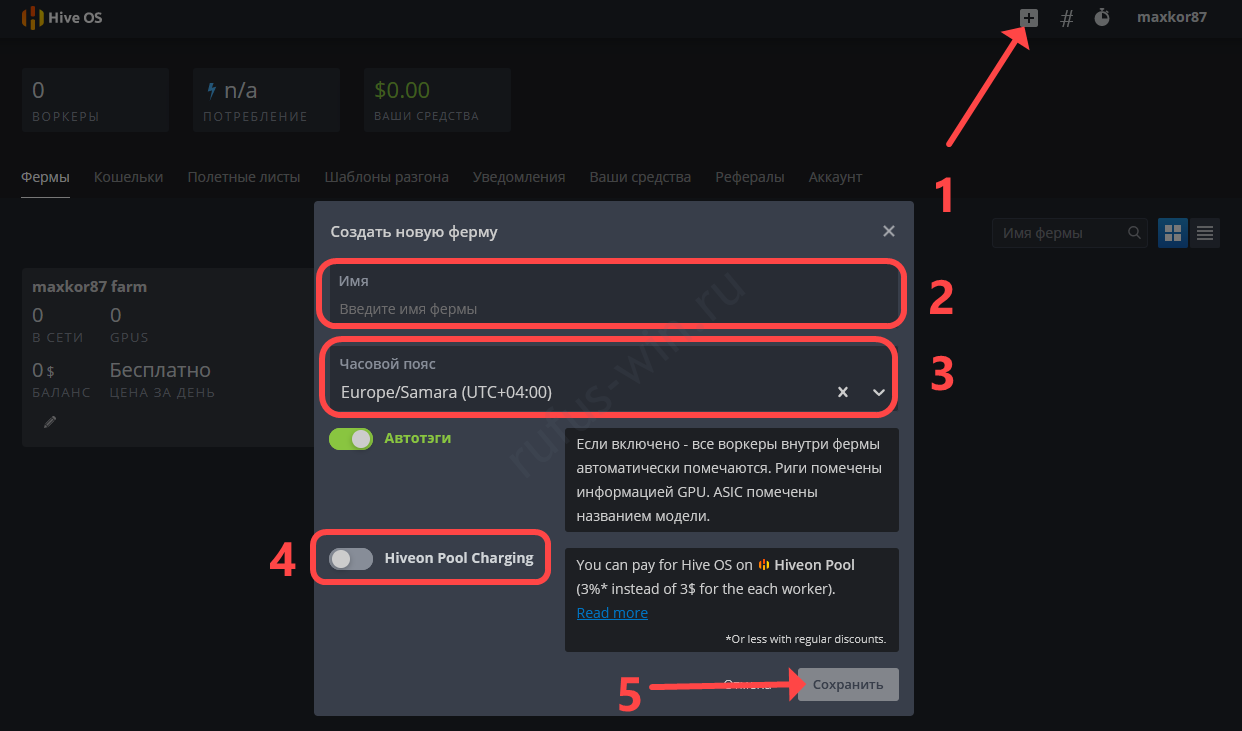
- In your account, click the plus sign.
- Enter the farm name, select the time zone, move the last toggle to the “Off” position, and save the changes.
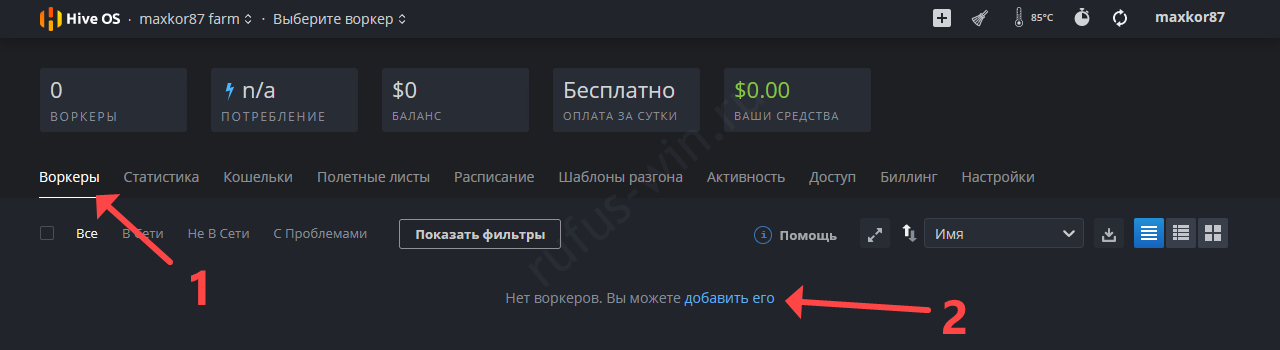
- In the “Workers” section, click “Add it”.
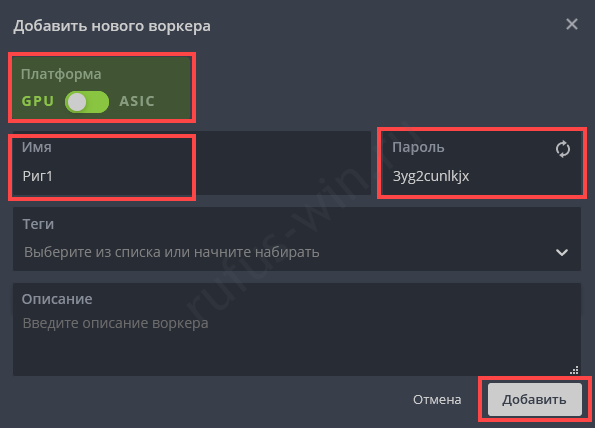
- Specify the platform, enter a name and password, and save the changes.
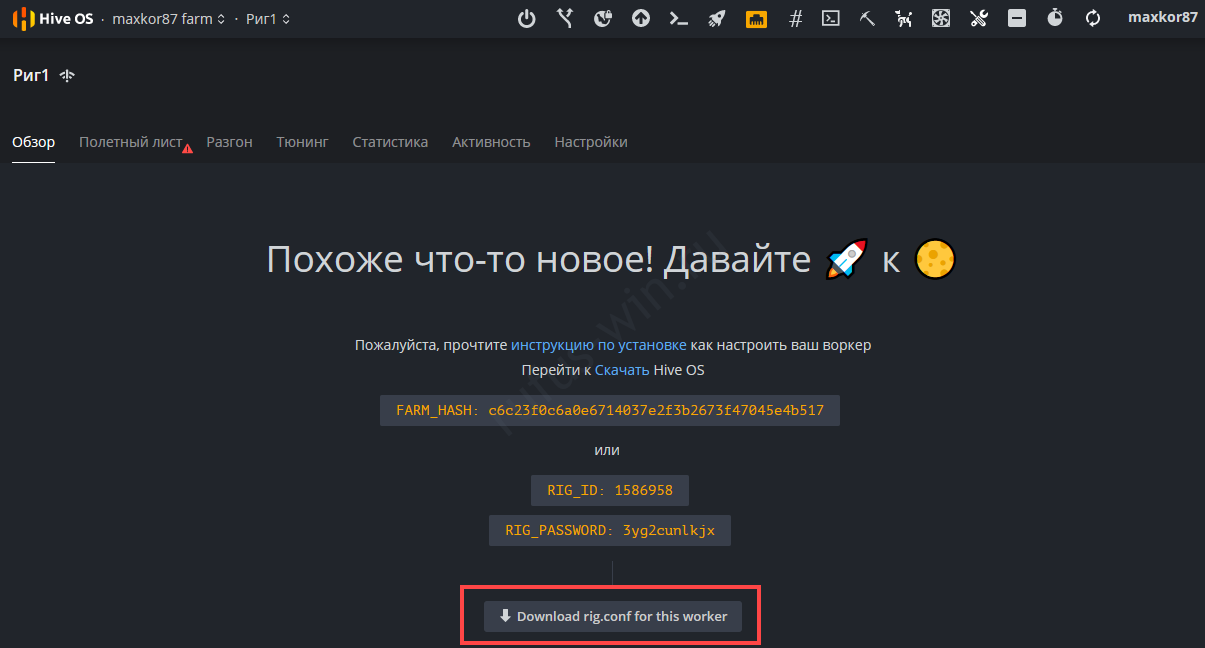
- Download the farmhash using the “Download rig.conf…” button.
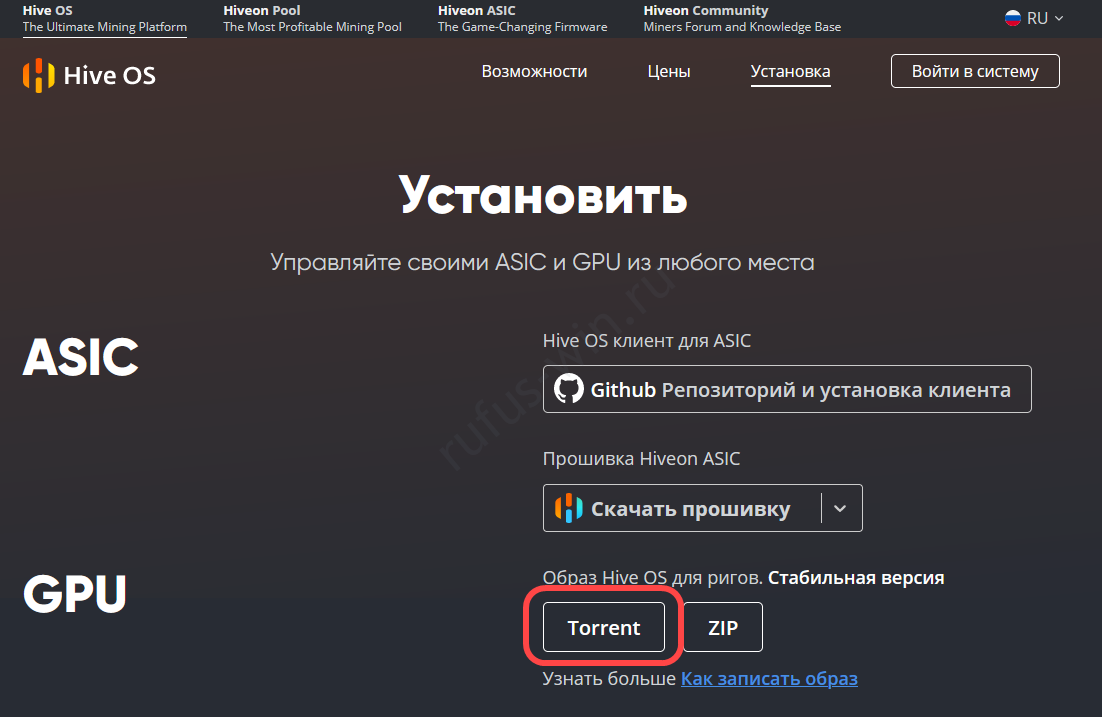
- Download HiveOS via torrent on the page.
- Insert the USB drive. It should be reliable, from a trusted manufacturer with a speed class of no lower than 10.
- In the first drop-down list, specify the device.
- Click “Select”.
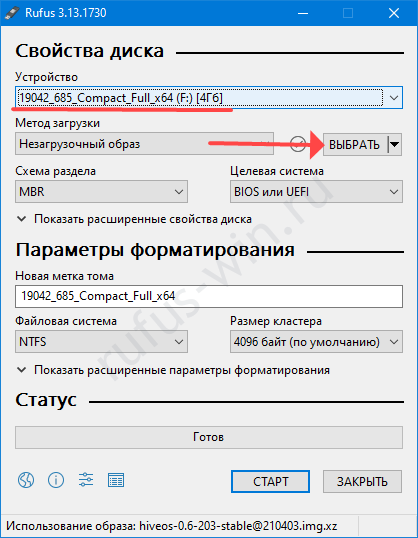
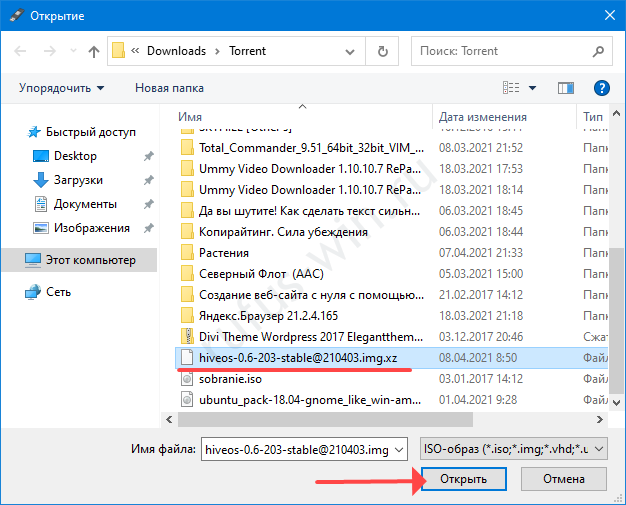
- Click the image and open it.
It doesn’t offer a choice of systems: BIOS or UEFI.
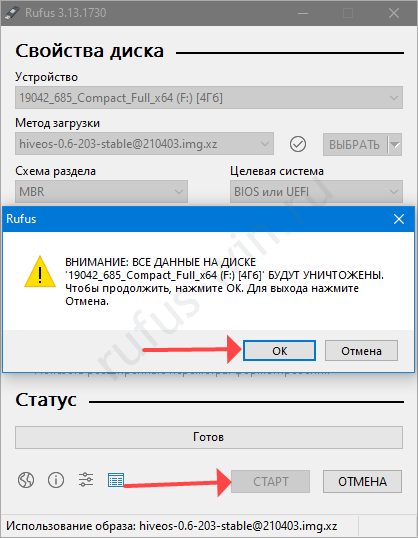
- Click “Start” and confirm formatting the drive.
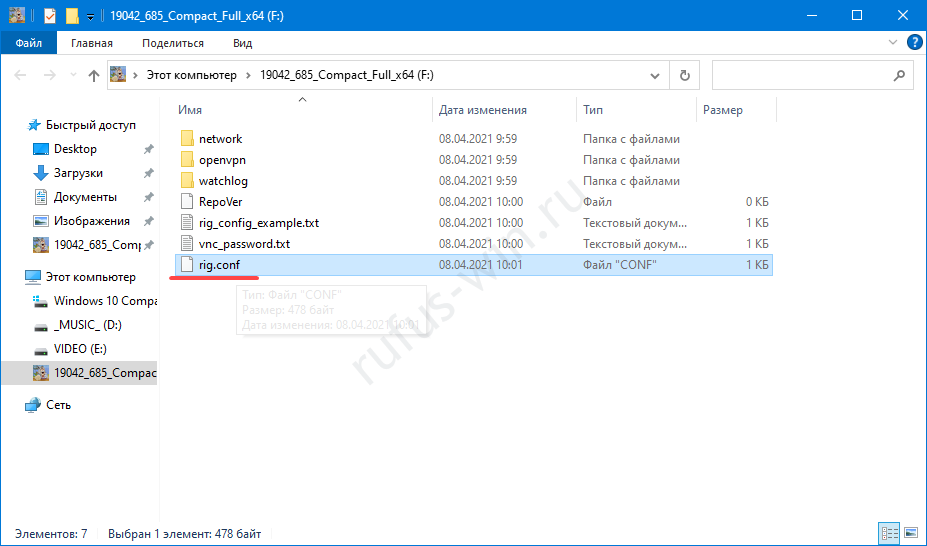
- Copy the rig.conf file downloaded in step 7 to the USB drive.
How to Launch Hive OS and Add Workers to It
After writing the bootable drive, insert it into the rig and start the installation. If the motherboard doesn’t make any sounds, that means HiveOS has started loading.
- Afterwards, log in to your account on the website and configure the rig.
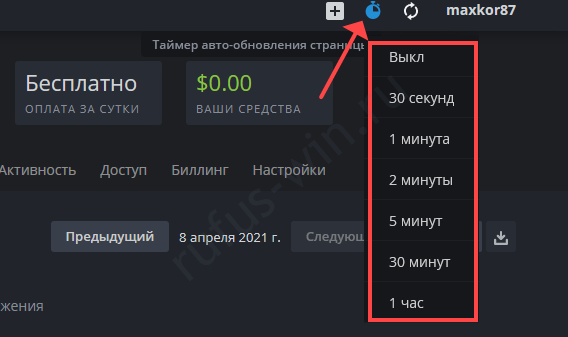
- Change the page refresh time.
- Create a “Flight Sheet” in the tab of the same name.
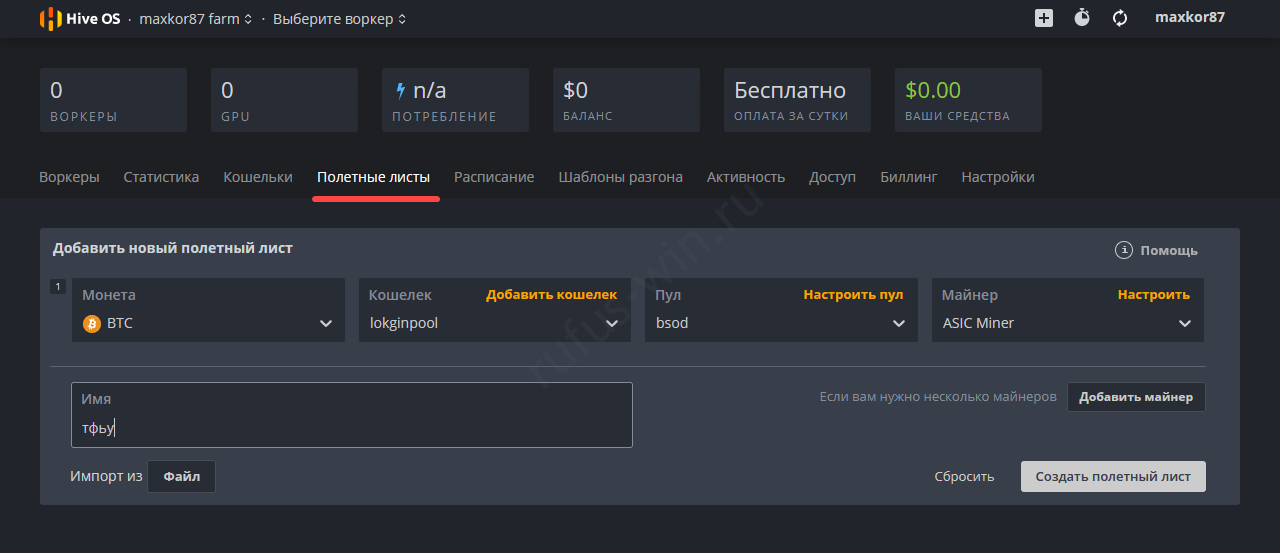
Specify the coin, wallet, pool, miner, and server (Russia, and be sure to add Europe).
If you don’t have a wallet, add it first.
- In the “Workers” tab, select the rig.
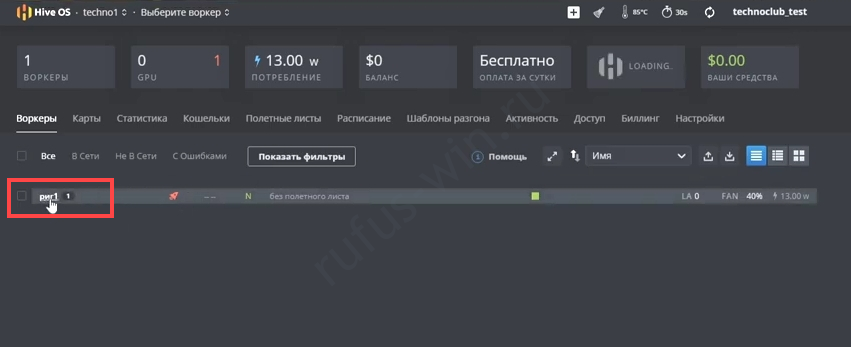
- Specify the “Flight Sheet” and click the rocket icon.
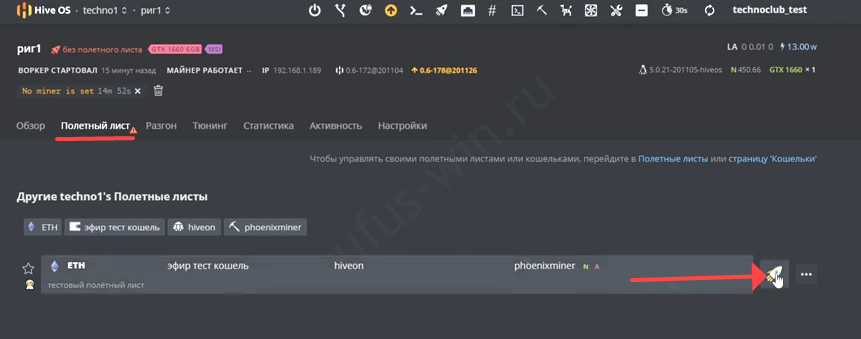
- As you master the HiveOS functionality, you’ll be able to manage statistics, graphics card fans, overclock GPUs, and much more.
Are There Alternatives to This Mining Platform?
Miners note the following operating systems for obtaining cryptocurrency:
- RaveOS – a tool for configuring, managing, and monitoring ASICs and mining rigs.
- RavinOS – an “OS” optimized for mining on most systems, with a mobile app for managing and monitoring rigs.
- Hashr8 – a manager for cryptocurrency mining rigs that supports a wide range of CPUs and GPUs. Works with 600+ pools and around fifty miners.
- MinerBabe OS – a Chinese Ubuntu-based miner management system for mining a dozen cryptocurrencies, monitoring the process, and managing statistics. It allows rigs to be maintained remotely.
- SimpleMiningOS – a modification of Linux code for GPU mining. Compatible with all graphics cards, mines a dozen cryptocurrencies, and automatically finds drivers. It lets you overclock graphics cards and control their fans.